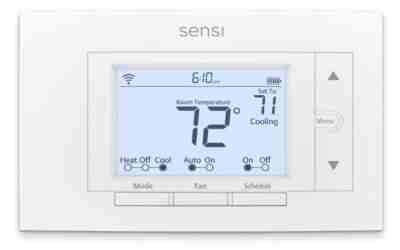

The wires needed for a smart thermostat are usually five: R, W, Y, G and a C-wire, with four (R, W, Y, G) as the common minimum. Some models run on two or three wires with an adapter, and heat pumps or two-stage systems need more. The exact count depends on your thermostat model and HVAC system type.
How many wires does a smart thermostat need by system type?
Count the wires behind your current thermostat, then match them to your system. Thermostat wiring is low-voltage (24V), and the counts below are typical, not universal. Your system and the thermostat’s compatibility checker decide the final answer.
| HVAC system | Typical terminals | Wire count |
|---|---|---|
| Gas furnace + central AC (single stage) | R, W, Y, G, plus C | 4 minimum, 5 ideal |
| Heat only (furnace or boiler, 24V) | R, W, plus C | 2 minimum, 3 ideal |
| AC only | R, Y, G, plus C | 3 minimum, 4 ideal |
| Heat pump (single stage) | R, Y, G, O/B, plus C | 4 minimum, 5 ideal |
| Heat pump with backup (aux) heat | R, Y, G, O/B, W or E (aux), plus C | 5 to 6 |
| Two-stage heating or cooling | Adds W2 and/or Y2 to the basic set | 6 or more |
| Dual-fuel (heat pump + furnace) | Heat pump terminals plus furnace control wiring | 6 or more; follow the thermostat’s dual-fuel diagram |
Smart thermostats have a screen, a processor and a Wi-Fi radio that run all day. That is why most want a C-wire for steady power. Some models skip it on certain systems by borrowing power from the other wires.
What does each thermostat wire do?
Wire colors are common but not a standard. Go by the letter on the terminal, not the color of the wire.
| Terminal | Job | Notes |
|---|---|---|
| R / Rc / Rh | 24V power from the transformer | Rc feeds cooling, Rh feeds heating. Many systems use one R wire. |
| W (W1, W2) | Calls for heat | W2 is second-stage heat. On heat pumps it often means aux heat. |
| Y (Y1, Y2) | Calls for cooling | On a heat pump, Y runs the compressor in both modes. |
| G | Fan control | Lets the thermostat run the blower on its own. |
| C | Common return for 24V power | Completes the circuit so the thermostat gets constant power. |
| O/B | Reversing valve | Heat pumps only. Whether it is O or B depends on the brand. |
| E / Aux | Emergency or auxiliary heat | Heat pumps only. |
Rc and Rh jumper: if you have one R wire, it goes on Rc or Rh and a small jumper connects the two terminals. If you have two separate R wires (two transformers), you usually remove the jumper. Follow your thermostat’s wiring guide.
How to check your wires before you buy
You can confirm your wiring in about 15 minutes without buying anything. Do it before ordering so you know whether you need an adapter.
- Turn off power to the furnace or air handler at the breaker. Switching off the thermostat is not enough.
- Pull the cover and take the old thermostat off its base. Most snap or unscrew off.
- Photograph the connections straight on, with the wires still attached. Take a second photo after you label each wire with its terminal letter using masking tape.
- Disconnect the wires one at a time. Keep bare ends from touching each other, because a short can blow the transformer’s small fuse (often 3A) or damage the control board.
- Look for spares. Pull the cable out of the wall a few inches. Unused conductors are often folded back inside the sheath.
- Check the other end. Open the furnace or air handler panel (power still off) and look at the control board terminals. A spare wire that lands on a terminal marked C, or on any open terminal, may be usable as a C-wire.
- Confirm voltage type. Thick wires marked 120V or 240V, or a wall unit that says line voltage, mean baseboard or similar heat. Stop there (see the line-voltage section below).
Optional multimeter check: after you restore power, a meter set to AC volts should read roughly 24V between R and C at the furnace board. A wire that reads about 24V against R when connected to C there is working as a common. Do not probe if you are unsure; call a pro.
Not sure your new thermostat will connect once it is on the wall? See our fixes for smart home devices that won’t connect to Wi-Fi.
What if you don’t have a C-wire?
Missing C-wires are the most common wiring snag. Some thermostats run without one using power stealing. That can cause fan buzzing, clicking, or random reboots on some systems, and support varies by model and HVAC setup. Check the manufacturer’s compatibility tool for your system.
If your model needs a C-wire and you lack one, you have four fixes:
| Option | How it works | Difficulty | Watch out for |
|---|---|---|---|
| Use a spare wire as C | Connect the unused conductor to C at both ends | Easy | Must be connected at the furnace board and the wall |
| Power extender kit or add-a-wire adapter | Reuses a wire (often G) to carry C power; installed at the furnace board | Moderate | Compatibility varies by brand and model; some kits are made for specific thermostats |
| Plug-in 24V transformer | Supplies 24V at the thermostat or furnace area | Moderate | Needs a nearby outlet and a thermostat that supports it |
| Run a new multi-wire cable | Replaces the old cable with a 5 or 6-conductor cable | Hard | Wall fishing; a good job for an HVAC pro |
Decision rule: spare wire first, then the adapter kit your thermostat maker lists as compatible, then a new cable. With only two wires on a 24V heat-only system, many thermostats still work, but check the model’s spec for a no-C option.
Wires needed for a smart thermostat on heat pumps, multi-stage and baseboard systems
Heat pumps need an O/B wire for the reversing valve, and most also have an aux or emergency heat wire. During setup, the app will ask which terminal (O or B) your system uses. Choosing wrong can make the system heat when you ask for cool, so check your equipment manual.
Multi-stage and dual-fuel systems need extra terminals such as W2 and Y2. A basic four-wire thermostat cannot control the second stage. Match the thermostat’s published terminal list to your wire labels before buying.
Line-voltage heat (electric baseboard, some wall heaters) runs at 120V or 240V and typically has two or four thick wires at the thermostat. A standard low-voltage smart thermostat is not compatible and can be a shock and fire hazard. You need a thermostat specifically rated for line voltage. A 2-wire setup can also be a millivolt system, which needs a compatible model.
If you are building out a connected home, our smart home setup guide for first-time owners covers what to install first and in what order.
Common wiring mistakes and when to call a pro
- Going by wire color. Installers don’t always follow the usual colors. Always follow the terminal letter.
- Skipping the breaker. Shorting R to another terminal can blow the fuse or damage the board.
- Forgetting the jumper decision. A missing or extra Rc/Rh jumper can cause a dead display or both heating and cooling power sources connected together.
- Leaving a wire loose. Push each wire fully into its terminal and give it a gentle tug.
- Not photographing first. Without a photo, you can’t undo a mistake.
Call a licensed HVAC technician or electrician if: you have a communicating system (a proprietary control with its own digital wiring), your furnace board needs work, wires are brittle or corroded, you see 120V/240V wiring at the thermostat, or you can’t identify the system. Follow the thermostat maker’s instructions and local code.
Once your wiring is confirmed, compare models in our best smart thermostat roundup and check each one’s compatibility list against your wire labels.
Our Top Picks
Ready to shop? These are the top-rated options from our hands-on roundup, Best Smart Thermostat of 2026.
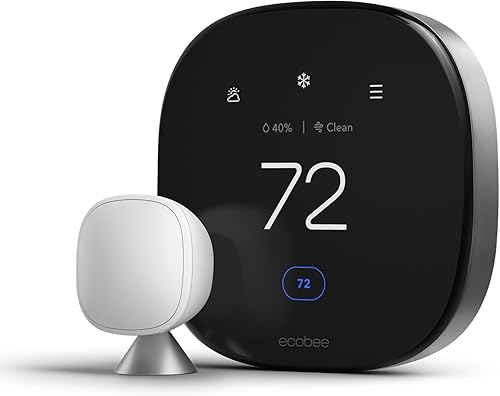
ecobee Smart Thermostat Premium with Siri & Alexa, Air Quality Monitor, SmartSensor Included, Energy Saving WiFi Thermostat

Google Nest Thermostat - Smart Programmable WiFi Thermostat for Home - Snow

Amazon Smart Thermostat - Save Money and Energy, Works with Alexa and Ring, C-Wire Required, Programmable Thermostat with DIY Installation
As an Amazon Associate we earn from qualifying purchases. Product prices and availability are accurate as of the date/time indicated.
Frequently Asked Questions
Can I install a smart thermostat with only 2 wires?
Sometimes. A 24V heat-only or cool-only system with R and W (or R and Y) can work with some models, often with an adapter. Many need more wires. If the two wires are thick or carry 120V/240V, do not use a low-voltage thermostat.
Can I use a spare wire in my cable as a C-wire?
Yes, if the cable has an unused conductor. Connect it to the C terminal on the thermostat base and to the C terminal on the furnace control board, with power off. Both ends must match or it won’t work.
Do Nest and Ecobee thermostats need a C-wire?
It depends on the model and your system. Some Nest models work without a C-wire on many systems, while Ecobee models commonly include a power extender kit. Check the maker’s compatibility tool with your wire labels.
What do the Rc and Rh terminals mean?
Rc is the 24V power for cooling and Rh is for heating. With one R wire, you usually put it on either one and keep the jumper between them. With two separate R wires, you usually remove the jumper.
{“@context”: “https://schema.org”, “@type”: “FAQPage”, “mainEntity”: [{“@type”: “Question”, “name”: “Can I install a smart thermostat with only 2 wires?”, “acceptedAnswer”: {“@type”: “Answer”, “text”: “Sometimes. A 24V heat-only or cool-only system with R and W (or R and Y) can work with some models, often with an adapter. Many need more wires. If the two wires are thick or carry 120V/240V, do not use a low-voltage thermostat.”}}, {“@type”: “Question”, “name”: “Can I use a spare wire in my cable as a C-wire?”, “acceptedAnswer”: {“@type”: “Answer”, “text”: “Yes, if the cable has an unused conductor. Connect it to the C terminal on the thermostat base and to the C terminal on the furnace control board, with power off. Both ends must match or it won’t work.”}}, {“@type”: “Question”, “name”: “Do Nest and Ecobee thermostats need a C-wire?”, “acceptedAnswer”: {“@type”: “Answer”, “text”: “It depends on the model and your system. Some Nest models work without a C-wire on many systems, while Ecobee models commonly include a power extender kit. Check the maker’s compatibility tool with your wire labels.”}}, {“@type”: “Question”, “name”: “What do the Rc and Rh terminals mean?”, “acceptedAnswer”: {“@type”: “Answer”, “text”: “Rc is the 24V power for cooling and Rh is for heating. With one R wire, you usually put it on either one and keep the jumper between them. With two separate R wires, you usually remove the jumper.”}}]}