
Smart thermostat cost is about $80 to $300 for the unit, or roughly $200 to $500 once a pro installs it. Three things move your total: the tier you pick, whether you hire an installer, and whether your system lacks a C-wire or needs a special model.
Smart thermostat cost by price tier
These ranges are approximate, drawn from published cost guides. Prices shift with sales and new releases, so check current listings before you budget.
| Tier | Approx. device price | What the tier adds |
|---|---|---|
| Budget | $80 to $130 | Scheduling, app control, voice assistant support, basic energy reports |
| Mid-range | $130 to $200 | Room sensors (included or add-on), geofencing, detailed usage reports |
| Premium | $200 to $300 | Learning or auto-scheduling, higher-end displays, room sensors, wider HVAC compatibility |
| Multi-zone and specialty | $300 to $800 | Zoning controls and line-voltage or other non-standard system support |
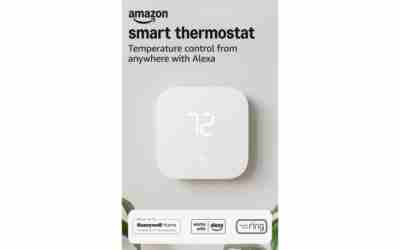
For a dated reference point, Amazon listings in October 2024 ran from the Amazon Smart Thermostat at $79.99 to the Nest Learning Thermostat (4th gen) at about $269.
Smart thermostat installation cost: DIY vs pro
- DIY: $0 in labor, so you pay only the device price.
- Professional install: about $200 to $500 total including the device (Carrier), averaging about $350 (HomeAdvisor).
- Hourly labor: HVAC technicians and electricians are commonly quoted at $50 to $100 per hour (Trane).
If you go DIY on a standard low-voltage system, the job follows four steps:
- Turn off the HVAC system at the breaker, then confirm the old thermostat display is dead.
- Photograph the wiring and label each wire with the letter of its terminal.
- Remove the old unit, mount the new base, and connect each labeled wire to the matching terminal. Do not swap Rc and Rh or misplace the C-wire, since a wrong connection can blow the 24V transformer fuse.
- Restore power, run setup, and test both heating and cooling.
Pre-1980s thermostats can contain mercury, so take the old unit to a hazardous-waste drop-off. Hire a pro if the wiring does not match your photos or if your area requires a permit for new wiring; check local code. If the new unit will not join your network at the end, work through these fixes for smart home devices that won’t connect to Wi-Fi.
When a missing C-wire adds to the cost
The C-wire supplies constant 24V power so the thermostat’s screen and Wi-Fi stay on. To check, pull the old thermostat off its wall plate and look for a wire on the C terminal (often blue), then look at the furnace control board for the matching connection. An unused spare wire in the bundle can often be connected to C at both ends for free.
| Situation | Added cost |
|---|---|
| C-wire already connected or a spare wire is available | $0 |
| Power adapter or extender kit | $15 to $35 |
| Pro runs a new C-wire | $90 to $135 |
Some models ship with an adapter in the box, so check the contents before buying a separate one. Our guide to the wires a smart thermostat needs shows what each terminal does.
Baseboard, heat pump and multi-stage systems
Your heating and cooling type decides which models are even options, and a wrong match costs you a return plus a second install.
- Line-voltage baseboard heat (120V or 240V): needs a thermostat made for line voltage. A standard low-voltage model will not work, and the wiring carries a shock risk, so use a licensed electrician.
- Heat pumps: need a model that supports the reversing valve (O/B terminal) and auxiliary or emergency heat.
- Multi-stage equipment: needs terminals for the second stage (such as Y2 and W2). A model with only single-stage terminals cannot control stage two.
Before you buy, run the maker’s online compatibility checker with your system type and the wire labels from your photo. It takes a few minutes and catches mismatches before checkout.
Payback: work out your own numbers
Savings depend on your home, climate and habits, so use your own bills instead of a promised percentage.
- Installed cost: device price plus labor plus any C-wire fix.
- Net cost: subtract any rebate.
- Annual HVAC spend: add up 12 months of heating and cooling costs, not your whole utility bill. Compare peak months against a mild month to separate HVAC from baseline use.
- Yearly savings: multiply step 3 by the savings rate you assume.
- Payback in years: step 2 divided by step 4.
Worked example with typical placeholder inputs, not your bills: a $350 pro install minus a $50 rebate gives a $300 net cost. With $1,200 a year in HVAC spend and an assumed 8% savings, you save $96 a year, so payback is $300 ÷ $96, or about 3.1 years. At 5% savings ($60 a year), payback stretches to 5 years. A DIY install with a $150 device and the same $50 rebate nets $100, which pays back in about 1.0 year at 8%.
One source claims 10% to 20% heating savings, but it is a single unverified figure, so pick a conservative rate you can defend.
Utility rebates and how to check yours
Rebate amounts are set by each utility or state program, so look up yours before you buy.
- Search your utility’s website for “smart thermostat rebate.”
- Enter your ZIP code in the ENERGY STAR Rebate Finder.
- Check the DSIRE database for state and local incentives.
- Confirm which models qualify, whether the discount applies at checkout or by mail-in, and whether a pro install is required.
Some utilities also pay an enrollment bonus if you join a demand-response program that lets them adjust your temperature on peak days. Subtract whatever you find in step 2 of the payback math above. If a thermostat is one of several devices you plan to add, our smart home setup guide for first-time owners helps you sequence the rest of the budget.
Our Top Picks
Ready to shop? These are the top-rated options from our related roundup, Best Smart Thermostat of 2026.
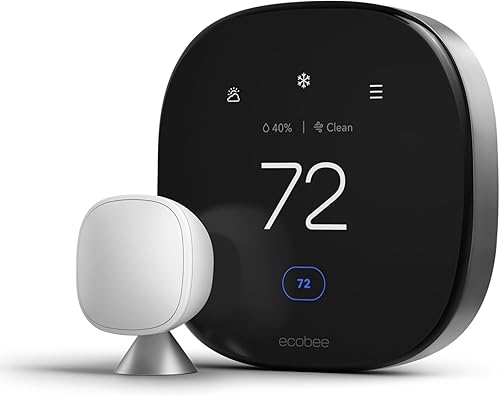
ecobee Smart Thermostat Premium with Siri & Alexa, Air Quality Monitor, SmartSensor Included, Energy Saving WiFi Thermostat

Google Nest Thermostat - Smart Programmable WiFi Thermostat for Home - Snow

Amazon Smart Thermostat - Save Money and Energy, Works with Alexa and Ring, C-Wire Required, Programmable Thermostat with DIY Installation
As an Amazon Associate we earn from qualifying purchases. Product prices and availability are accurate as of the date/time indicated.
Frequently Asked Questions
Does a smart thermostat need a monthly subscription?
No. Scheduling, app control and voice assistant support work without a fee on the major brands. Some makers sell optional paid add-on services, but you do not need them for core thermostat functions.
Can I use a smart thermostat if my Wi-Fi goes down?
Yes. It keeps running its saved schedule and you can still adjust it at the wall. You lose app control, remote changes and voice commands until the connection returns.
Do pricier smart thermostats save more energy?
No. Savings come from setback schedules and how consistently you use them, not from the price tier. A higher price mainly buys sensors, displays and wider system compatibility.
Can I take my smart thermostat with me when I move?
Yes, if you own it. Reinstall your old thermostat before closing, and get written permission first if you are a renter. Then reset the smart unit and remove it from your account.
{“@context”: “https://schema.org”, “@type”: “FAQPage”, “mainEntity”: [{“@type”: “Question”, “name”: “Does a smart thermostat need a monthly subscription?”, “acceptedAnswer”: {“@type”: “Answer”, “text”: “No. Scheduling, app control and voice assistant support work without a fee on the major brands. Some makers sell optional paid add-on services, but you do not need them for core thermostat functions.”}}, {“@type”: “Question”, “name”: “Can I use a smart thermostat if my Wi-Fi goes down?”, “acceptedAnswer”: {“@type”: “Answer”, “text”: “Yes. It keeps running its saved schedule and you can still adjust it at the wall. You lose app control, remote changes and voice commands until the connection returns.”}}, {“@type”: “Question”, “name”: “Do pricier smart thermostats save more energy?”, “acceptedAnswer”: {“@type”: “Answer”, “text”: “No. Savings come from setback schedules and how consistently you use them, not from the price tier. A higher price mainly buys sensors, displays and wider system compatibility.”}}, {“@type”: “Question”, “name”: “Can I take my smart thermostat with me when I move?”, “acceptedAnswer”: {“@type”: “Answer”, “text”: “Yes, if you own it. Reinstall your old thermostat before closing, and get written permission first if you are a renter. Then reset the smart unit and remove it from your account.”}}]}